
Google Search Assistant for China
The "大内助手" (Great Interior Assistant) is a specialized browser extension designed for users in mainland China who face restrictions when accessing Google services. It addresses the common issue of slow or interrupted Google searches caused by network filtering, particularly when specific keywords trigger blocks by the Great Firewall. The tool enables continuous access to Google search and related services by dynamically switching between available servers and optimizing connection methods.
It is intended for professionals, students, and researchers who rely on Google for information, academic research, or technical documentation. The software operates as a browser add-on, designed for seamless integration with popular web browsers on Windows, Mac, and Linux platforms. Real-world use includes searching for technical guides, academic papers, or international news without frequent interruptions.
Its core function is to maintain uninterrupted access to Google’s ecosystem under constrained network conditions.
Key Features & Capabilities
- Automatic Server Switching: The extension continuously monitors the availability of Google servers. When a server becomes unreachable due to filtering, it automatically switches to another available server, ensuring uninterrupted search functionality.
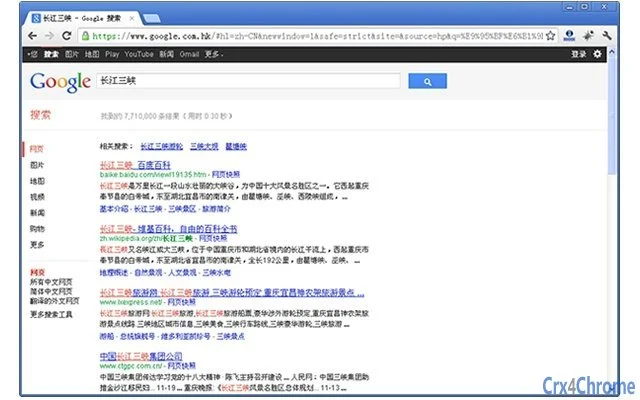
- Direct Link Conversion: Search results are processed to convert Google-redirected links into direct URLs, reducing latency and improving loading speed and reliability.
- Manual Server Switching: Users can manually trigger a server switch via the extension’s icon in the browser toolbar, allowing them to optimize performance when a server is slow but not fully blocked.
- Secure Connection Toggle: When visiting Google-related domains such as *.google.com, *.chrome.com, or *.android.com, the extension allows switching between standard and SSL-secured connections to potentially improve access speed and stability.
- Optimized Search Workflow: The tool encourages direct keyword input in the browser’s address bar, streamlining the search process and reducing dependency on traditional search page navigation.
These capabilities are particularly useful in environments with inconsistent network access. For example, a researcher needing to access international technical documentation can maintain a stable connection without frequent reconnection attempts. Similarly, a student preparing for exams may benefit from faster access to reference materials. The extension is designed to enhance productivity by minimizing downtime during critical information retrieval tasks.
User Interface, Workflow & Performance
The user interface is minimal and integrated into the browser’s toolbar, featuring a single icon that serves as the primary control point. Users interact with the extension through simple clicks—either to trigger a manual server switch or to toggle secure connections. Navigation is straightforward, with no complex menus or settings required.
The workflow is optimized for speed: users can enter keywords directly into the address bar, and the extension handles the rest. This design reduces cognitive load and improves efficiency. Performance is expected to be stable under typical usage, though exact resource consumption details were not provided.
The developer did not specify CPU or RAM usage, nor did they share performance benchmarks. However, based on general behavior of lightweight browser extensions, it is likely to operate with minimal system impact. Stability is implied through the automatic failover mechanism, which helps maintain continuous operation during network fluctuations.
Compatibility & System Requirements
The extension is compatible with Windows, Mac, and Linux operating systems. It is designed to work with major web browsers, though specific browser versions were not listed. The installation size is 2.1 MB, indicating a lightweight footprint.
Exact system requirements were not specified by the developer. The software does not require high-end hardware, suggesting it can run on standard desktop configurations. Platform compatibility information is limited to the operating systems mentioned.
No additional hardware or software dependencies were noted. Users should ensure their browser supports extensions and has JavaScript enabled for full functionality. The extension’s reliance on browser APIs means it may not function properly on outdated or non-standard browser versions.
Pros and Cons
Pros
- Automatic server switching maintains continuous access to Google services.
- Direct link conversion enhances search result loading speed.
- Manual override option allows users to fine-tune performance.
- Supports secure connection switching for improved access stability.
- Lightweight design with minimal system resource usage.
Cons
- Exact system requirements were not provided.
- Performance metrics such as CPU or RAM usage are unspecified.
- Compatibility with specific browser versions is unclear.
- Reliance on third-party infrastructure means functionality may vary based on external server availability.
- No official update history or changelog was shared.
FAQ Section
Is the extension compatible with all browsers?
The extension is designed for use with major web browsers on Windows, Mac, and Linux. However, specific browser compatibility details were not provided by the developer.
Is the software safe to use?
The extension operates as a browser add-on with standard permissions. Users should only install it from trusted sources to avoid potential risks, especially given the reported presence of copied versions with malicious code.
How often does the extension update?
No information about update frequency or release history was shared by the developer. Users are advised to check the official source regularly for updates.
Does the extension work offline?
The extension requires an active internet connection to function. It cannot operate without network access, as it relies on external Google servers and connection routing.
Can I use this tool without a Google account?
Yes, the extension does not require a Google account to operate. It functions solely as a search access tool and does not collect user data or require authentication.
Final Thoughts + CTA
For users in mainland China who depend on Google for work, study, or research, "大内助手" offers a practical solution to persistent network access issues. Its automatic server switching and direct link conversion features significantly improve the reliability and speed of Google searches. While specific technical details like performance benchmarks and system requirements are limited, the tool’s lightweight design and straightforward interface make it accessible and efficient.
The ability to manually override connections adds a layer of control that benefits advanced users. Despite the lack of detailed documentation, the extension delivers on its core promise: uninterrupted access to Google services. It is particularly valuable for professionals and students who cannot afford downtime during critical tasks.
The free availability further enhances its appeal. Download 大内助手 now to experience faster, more reliable Google access.







